The alarm that tells you about your day
Wake up to your day, not a beep.
Every morning, written fresh for you: the weather where you are, what’s on your calendar, the tasks you have due and a few headlines. Read by a voice you pick.
 Free · Android · 30 voices in 46 languages
How it works
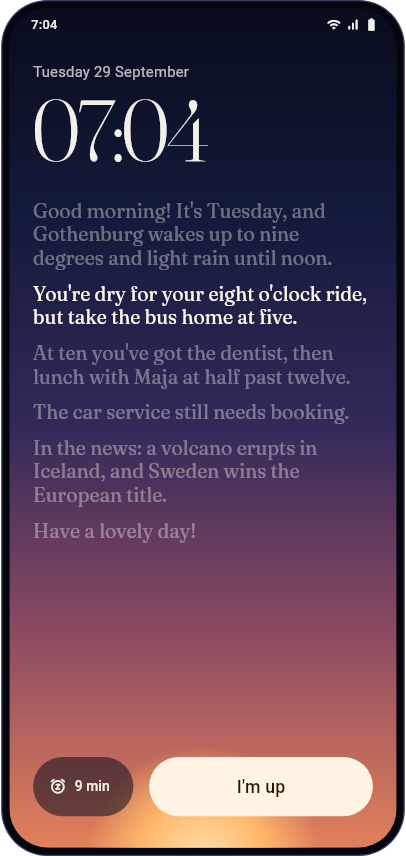
Set it once. Wake up informed.
Pick your time
Your wake time and the days you want it. It follows your time zone when you travel.
Pick your voice
Listen to all 30 voices first, in any of 46 languages, and choose the one you want to wake up to.
Pick what’s in it
The weather for your city, Google Calendar and Tasks, and news on the topics you like. All optional.
Every morning
Written for today. Not for everyone.
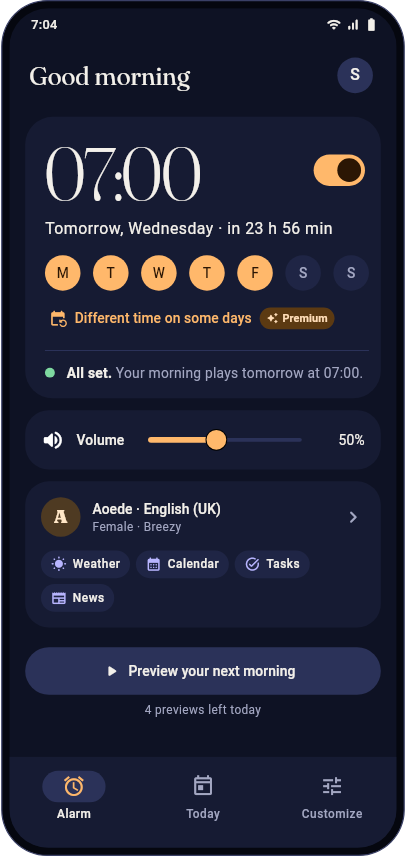
Just before your alarm, your morning is written for that day: rain at the times you head out, the dentist at ten, the car service you still haven’t booked.
- A gentle start: a soft chime, then the voice fades in
- A full-screen wake-up, with captions that follow the voice
- Snooze picks up right where the voice left off
- “I’m up” takes you straight to your day
Podcast · Premium
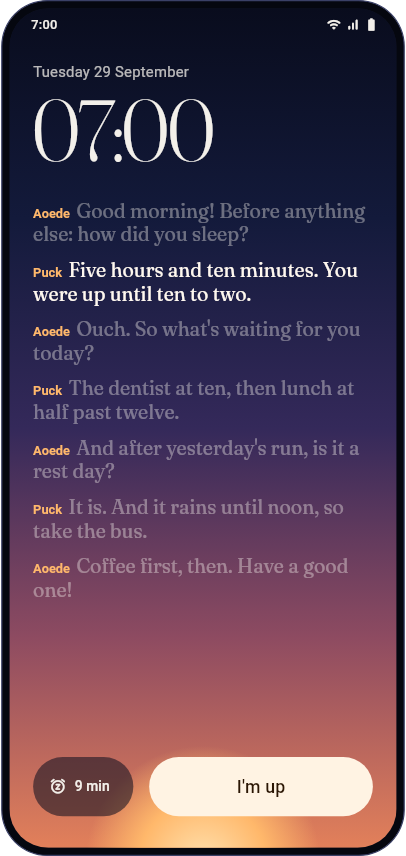
Your morning, as a podcast.
One host asks, the other answers: about your night, your day and what’s going on. A short show about you, new every morning.
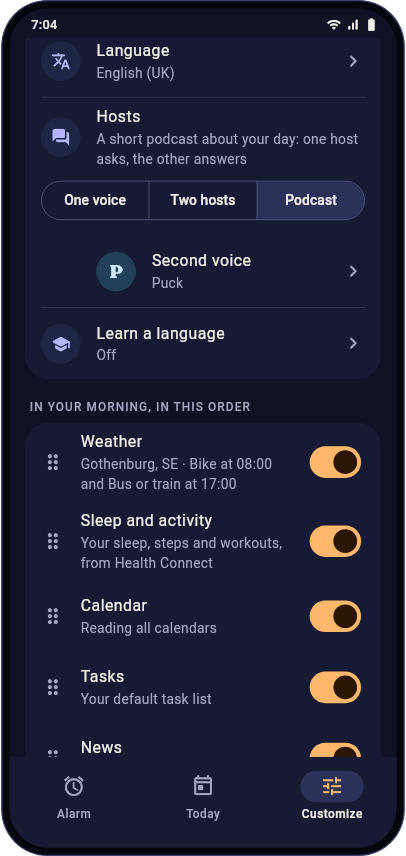
Sleep and activity · Premium
It knows how you slept.
Your sleep, steps, workouts and resting heart rate, from Health Connect. A short night or yesterday’s run can find its way into your morning.
- Only if you switch it on, and Health Connect asks you first
- A short summary per day, never your records
- Used only for your morning: never sold, never for ads
- From your phone, a watch, Samsung Health, Fitbit and more
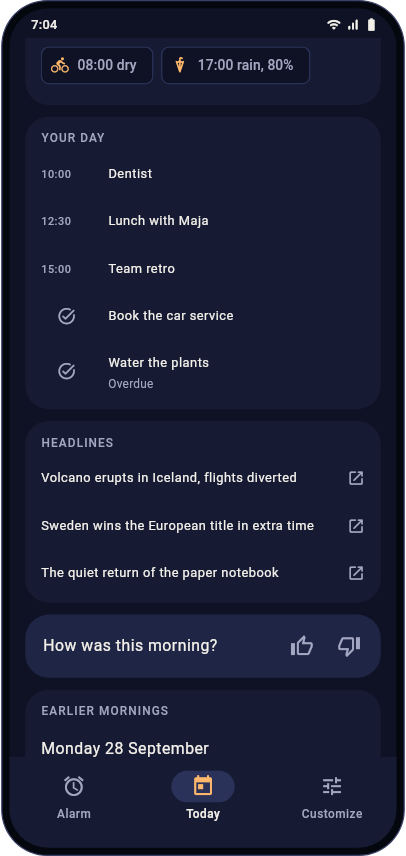
Today
Your day, at a glance.
Missed something? Replay your morning or read it, with everything it mentioned one tap away.
- The weather, with a rain check at the times you head out
- Your events, the tasks due today and the ones still open
- The headlines, each one tap away
- Say how the morning was, and the next one gets better
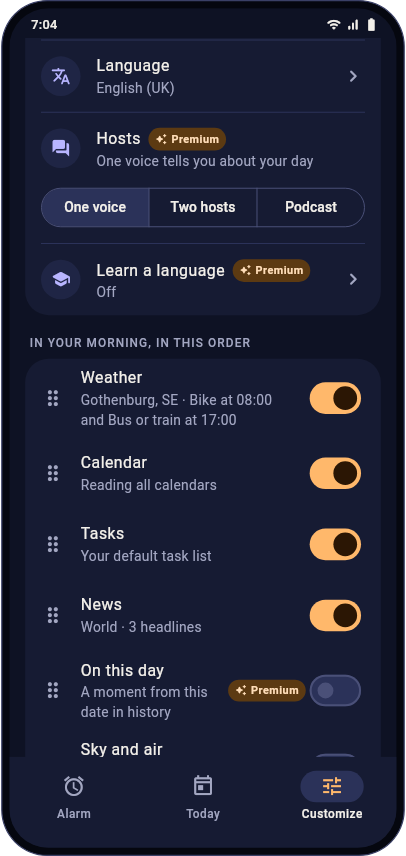
Make it yours
Your morning, your way.
Put weather, calendar, tasks and news in the order you want. Short or long; friendly, calm, upbeat, to the point, funny or insistent. Then tell it anything else, in your own words.
“Be extra positive, I need a boost today.”
“Keep the news short.”
“Talk like a conspiracy theorist.”
30 voices · 46 languages
Find the voice you want to wake up to.
Privacy
Private by design.
Optional
Google Calendar and Tasks are optional and read-only. Choose which calendars it reads.
Only for your morning
Your events and tasks are used only to write your morning, with other people’s email addresses left out.
Gone after 30 days
Your mornings are kept for 30 days so you can replay them, then deleted.
Yours to delete
Disconnect Google or delete your account at any time, right in the app.
The details: Privacy policy · Sources and permissions · FAQ
Tomorrow could start like this.
Free on Google Play.